How to use WhatsApp Business for marketing is a question every modern marketer and small business owner asks when they want direct, high-engagement channels without the ad-cost headaches. In this guide we’ll walk you — step by step — through strategy, setup, automation, compliant messaging, and three real-world case studies so you can build measurable revenue via WhatsApp. As senior mentors at Skilledge Digital Agency, we’ll show practical playbooks, templates, and analytics you can implement this week.
Table of Contents
Why WhatsApp Business matters now
What’s different: WhatsApp, WhatsApp Business App, WhatsApp Business API
Strategy first: customer journeys for WhatsApp marketing
Setup and verification checklist
Message types, templates, and compliance
Automation, CRM integration, and workflow blueprints
Content formats and growth tactics that convert
Measurement, KPIs, and A/B testing on WhatsApp
Case studies: ecommerce, local restaurant, B2B SaaS
Common mistakes and how to avoid them
30-day rollout plan and templates
Tools, costs, and working with Skilledge Digital Agency
Appendix: message templates, privacy checklist, checklist
Why WhatsApp Business matters now: How to use WhatsApp Business for marketing
Global scale and attention: WhatsApp has over 2 billion users and remains a primary messaging channel in India, LATAM, Africa, and parts of Europe.
Higher open & response rates: conversational messages see open rates north of 70% and response rates dramatically higher than email.
Conversational commerce becomes normal: customers expect real-time, human-like interactions and purchase support inside chat.
Cost-efficiency: organic reach on WhatsApp is direct; paid amplification becomes optional when you optimize flows and referrals.
What’s different: WhatsApp, WhatsApp Business App, WhatsApp Business API: How to use WhatsApp Business for marketing
WhatsApp (consumer): personal messaging; limited business features.
WhatsApp Business App: free mobile app for small merchants; labels, quick replies, catalog, and simple automation.
WhatsApp Business API: scalable, secure, required for higher volumes, multi-agent support, and platform integrations.
How to use WhatsApp Business strategically (framework)
We start with purpose before tactics. Ask: How to use WhatsApp Business for marketing
What business outcomes will WhatsApp serve? (sales, support, retention, lead gen)
Which customer segments prefer chat? (age, region, purchase frequency)
What friction in your customer journey is solved by chat? (abandoned carts, appointment booking, pre-sales queries)
Design three WhatsApp journeys (examples)
Transactional purchase flow: cart reminder -> shipping updates -> delivery confirmation -> feedback & upsell.
Support + retention flow: problem triage -> troubleshooting steps -> issue resolution -> satisfaction NPS -> winback offers.
Lead to demo (B2B): qualification Qs -> calendar booking -> reminder + materials -> post-demo follow-up -> nurture.
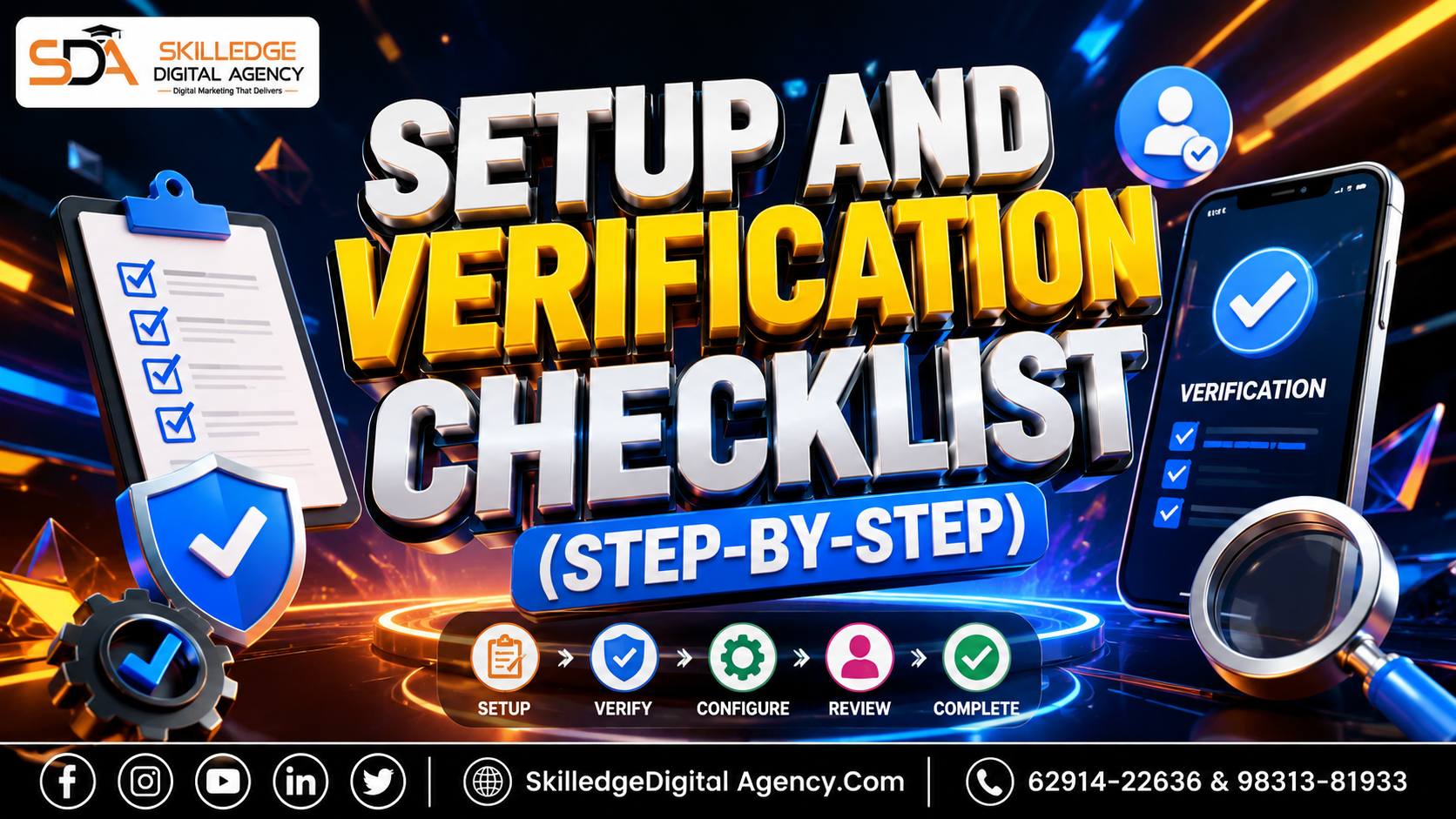
Setup and verification checklist (step-by-step): How to use WhatsApp Business for marketing
Choose the right product: Business App for single admin; API for teams and automation.
Get a business phone number: avoid reusing personal WhatsApp accounts; prefer a number with stable ownership.
Create a verified Business Profile: logo, business description, address, website, business hours, and catalog.
Apply for Facebook Business Manager verification (required for API): company docs, domain verification, and BR status.
Number registration and display name guidelines: follow WhatsApp naming rules to avoid rejection.
Set up message templates (HSM) for notifications if using API.
Integrate with CRM or ticketing system (recommended): ensure contact sync, conversation history, and tag-based segmentation.
Backup and SOPs: message retention policy, agent workflows, escalation rules.
Message types, templates, and compliance: How to use WhatsApp Business for marketing
Session messages: user-initiated within 24-hour window — free-form and highest engagement.
Template messages (HSM): pre-approved, must follow strict format, used for notifications after 24 hours.
Use plain language, clear CTAs, and minimal media when sending templates to reduce rejection risk.
Privacy and consent: obtain explicit opt-in (web forms, checkout, SMS to WhatsApp opt-in) and store consent records.
Opt-out method: always provide “STOP” or unsubscribe flow and honor requests immediately.
Crafting messages that convert (copy principles): How to use WhatsApp Business for marketing
Start with personal context: use the customer’s name, recent purchase, or point-in-journey.
One objective per message: ask for a reply, confirm, or click; don’t combine asks.
Use quick replies & buttons (API) to reduce friction.
Short, scannable lines; emojis sparingly and culturally appropriate.
Include clear micro-commitments: “Reply 1 to confirm delivery time.”
Automation, CRM integration, and workflow blueprints: How to use WhatsApp Business for marketing
Quick Replies: canned answers for FAQs in the Business App; map 80% of FAQs first.
Labels & Tags: segment conversations by lead stage, issue type, and priority.
Chatbots (API): use for qualification, appointment booking, and simple troubleshooting. Hand off to humans for complex asks.
Two-tier escalation flow: bot -> agent with transcript -> supervisor for unresolved after X minutes.
Data sync: push conversation attributes to CRM (lead score, last message, consent status).
Use webhooks for event-driven triggers (cart abandonment, transaction success).
Growth tactics that work (beyond “add a WhatsApp button”): How to use WhatsApp Business for marketing
Onboarding & checkout opt-in: add WhatsApp as a preferred contact during checkout with a one-click opt-in.
Conversational CTAs in email and SMS: “Reply on WhatsApp to confirm” to move high-intent users into chat.
QR codes in physical locations and packaging: dynamic QR that opens a pre-filled message (Utm-tagged).
Drip flows for re-engagement: sync purchase data then run time-based messages (7-day cross-sell).
Referral loops: incentivize customers to share a WhatsApp link with trackable referral codes.
Sponsored click-to-WhatsApp ads (Meta): use conversational ads to start 1:1 conversations with prospects.
Catalog + Shopping: keep catalogs small, curated, and use product quick replies for fast purchase.
Measurement, KPIs, and A/B testing on WhatsApp
Key metrics to track:
Response rate (messages replied / messages sent)
Conversation completion rate (resolved without human)
Conversion rate from conversation to sale/booking
Time to first reply and average handle time
CSAT / NPS from chat surveys
Opt-out rate and complaint rate
A/B tests to run:Template subject variations (notification CTA wording)
Button vs text CTAs in session messages
Time-of-day for reminders
Chatbot qualification scripts vs. agent-first approach
Case Study 1 — Ecommerce store (fashion D2C): How to use WhatsApp Business for marketing
Context: Mid-size D2C fashion brand saw high cart abandonment (70%) and low repeat purchase.
Strategy:
Use WhatsApp Business API to create cart recovery journeys with a 1-hour, 24-hour, and 72-hour cadence.
Triggered HSM for 24-hour reminders with one-click checkout link.
Post-purchase series: shipping + delivery + style tips + upsell within 7 days.
Results (example concrete figures):Cart recovery uplift: recovered 12% of abandoned carts in first 3 months.
Repeat purchase: 18% higher 30-day repeat among users who opted into WhatsApp.
Tactics that mattered:Personalised product recommendations using browsing data.
Quick reply for size exchange and easy returns via WhatsApp.
Case Study 2 — Local restaurant: How to use WhatsApp Business for marketing
Context: Single-location restaurant wanted to boost weekday lunchtime bookings.
Strategy:
Use WhatsApp Business App for two-person admin team.
QR codes on tables and flyers linking to a “Reserve” pre-filled message.
Broadcast weekly “Today’s Lunch Special” to opted-in customers (use lists wisely).
Results:20% increase in weekday covers within 6 weeks.
Higher table-turn efficiency using WhatsApp confirmations and reminders.
Tactics that mattered:Time-limited offers with clear CTA (“Reply ‘YES’ to reserve”).
Using labels to track VIP customers and send exclusive offers.
Case Study 3 — B2B SaaS: How to use WhatsApp Business for marketing
Context: B2B SaaS with long sales cycles wanted warmer lead follow-up and demo scheduling.
Strategy:
Use WhatsApp for inbound lead qualification: short bot questionnaire to capture pain points.
Calendar integration to allow instant demo booking.
Post-demo nurture sequences with use-case videos and ROI snapshots.
Results:30% faster demo scheduling time.
Higher demo-to-trial conversion rate (+22%).
Tactics that mattered:Personalized KPI-focused follow-ups.
Using voice notes and short screen-share videos to explain features quickly.

Compliance and privacy (non-negotiables): How to use WhatsApp Business for marketing
Maintain consent records and reasons for message send.
Limit promotional templates where local regulations restrict marketing.
Observe data residency and retention policies where required.
Use end-to-end encryption and partner with vetted API providers.
Common mistakes and how to avoid them
Mistake: treating WhatsApp like email blast. Fix: segment and personalize; use session messages for engagement.
Mistake: aggressive broadcasting without consent. Fix: build opt-in into UX flows.
Mistake: starting with automation before journey mapping. Fix: design journeys first, automate next.
Mistake: not tracking revenue per conversation. Fix: implement UTM and CRM attribution.
30-day rollout plan (practical weekly plan): How to use WhatsApp Business for marketing
Week 1: Strategy + setup
Define objectives, choose product (App vs API), set up profile, and apply for verification if needed.
Week 2: Templates + small automationBuild HSM templates, quick replies, basic bot flows, and integrate catalog.
Week 3: Launch pilotInvite top 1,000 customers, run cart recovery pilot, collect feedback and measure.
Week 4: ScaleExpand opt-ins sitewide, add CRM sync, and start paid click-to-WhatsApp campaigns.
Message templates (appendix)
Cart recovery HSM example (concise structure)
Shipping notification template
Appointment reminder template
Post-purchase feedback template
(We’ll provide exact copy blocks in the appendix below.)
Tools, costs, and vendor recommendations: How to use WhatsApp Business for marketing
Official API providers: Twilio, Gupshup, MessageBird, 360dialog.
Small business: WhatsApp Business App + Freshdesk or HubSpot free tier.
Bot builders: Landbot, WATI, Yellow.ai for regional support.
Costs: API provider message charges + Meta template fees + integration/agency fees. Budget example: INR 10k–50k/mo for mid-size operations.
Working with Skilledge Digital Agency
At Skilledge Digital Agency we’ve run dozens of WhatsApp marketing pilots across ecommerce, F&B, and SaaS. We help with:
Strategy and funnel design focused on revenue outcomes.
Setting up WhatsApp Business API and templates.
Building chatbots, CRM integration, and measurement.
Training your team with SOPs and compliance checks.
Appendix — Ready-to-use message templates
(Examples formatted as templates you can submit or use)
Cart Recovery HSM:
Hi {name}, we noticed you left {product} in your cart. Complete your purchase now with 10% off: {link}Shipping Notification:
Your order {order_id} has shipped. Track here: {link}Appointment Reminder:
Hi {name}, reminder: your booking for {service} is at {time} on {date}. Reply 1 to confirm.Post-purchase feedback:
Thanks for your purchase {name}. Rate your experience 1–5.
Privacy & Consent Checklist
Capture opt-in timestamp and source.
Store conversation IDs and consent in CRM.
Provide easy opt-out and honor within 24 hours.
Archive messages per retention policy.
Closing — Start conversationally, scale thoughtfully
If you want a hands-on plan, we’ll audit your current flows, set up a pilot, and deliver the 30-day rollout with dashboarding. At Skilledge Digital Agency we prefer measurable pilots that prove value before scaling.
Would you like the full editable message templates, flow diagrams, and an API vs App decision matrix as downloadable assets? If yes, tell us which case study you want as a downloadable checklist first: ecommerce, restaurant, or B2B SaaS.
Skilledge Digital Agency

What Skilledge Digital Agency delivers for your brand
| Service / Feature | What you get | Included in |
|---|---|---|
Search Engine Optimization (SEO) | ||
Technical SEO Audit Site speed, crawlability, Core Web Vitals, schema markup | Faster rankings, zero penaltiesFull technical overhaul with monthly monitoring | All Plans |
Keyword Strategy & Mapping Competitor gap analysis + intent-based clustering | Traffic that convertsTarget buyers, not browsers | All Plans |
Authority Link Building White-hat backlinks from DA 40+ real publishers | Domain authority growthSustainable, Google-safe link profile | Growth+ |
Local & Hyperlocal SEO GMB optimization, citations, local schema | Dominate “near me” searchesMap pack visibility + local trust signals | All Plans |
Paid Advertising (PPC & Meta) | ||
Google Ads Management Search, Display, Shopping & Performance Max | 3–5× ROAS targetExpert bid strategy + A/B ad copy testing | Growth+ |
Meta / Instagram Ads Audience targeting, retargeting funnels, creative testing | Lower CPL, higher CTRFull-funnel Meta campaigns built to scale | Growth+ |
Landing Page Optimization CRO-focused pages designed to convert ad traffic | Higher Quality ScoreReduced bounce, better ad relevance | Elite |
Content Marketing | ||
SEO Blog & Article Writing Long-form, E-E-A-T optimized, topic cluster strategy | Organic traffic engineContent that ranks and drives leads for months | All Plans |
Short-form Video & Reels Script, shoot guidance, editing & platform optimization | Viral-ready contentBuilt for TikTok, Instagram & YouTube Shorts | Growth+ |
Content Calendar & Strategy 30/60/90-day editorial plan aligned to business goals | Consistent brand voiceNever run out of ideas or miss a moment | All Plans |
Social Media Management | ||
Platform Management (5 channels) IG, FB, LinkedIn, X, YouTube — posting & community | Active, engaged audienceDaily management + comment/DM response | Growth+ |
Social Media Analytics Reach, engagement rate, follower growth tracking | Data-backed decisionsMonthly performance deck with insights | All Plans |
Influencer Collaboration Micro to macro influencer identification & outreach | Social proof at scaleAuthentic reach to new, targeted audiences | Elite |
Email & CRM Marketing | ||
Email Campaign Management Design, copy, list segmentation & automation flows | 40%+ open ratesPersonalized sequences that nurture and close | Growth+ |
Marketing Automation Lead nurture, cart abandonment, re-engagement drips | Revenue on autopilotWorks 24/7 to move leads down the funnel | Elite |
Analytics, Reporting & Strategy | ||
Monthly Performance Reports Custom dashboards: traffic, leads, ROAS, rankings | Full transparency, no fluffKnow exactly what’s working and why | All Plans |
GA4 + Search Console Setup Full tracking configuration, event goals, attribution | Zero tracking blind spotsAccurate data from day one | All Plans |
Competitor Intelligence Quarterly deep-dive: gaps, opportunities, market share | Stay 3 steps aheadKnow what rivals do before they scale it | Elite |
Website & Conversion | ||
CRO — Conversion Rate Optimization Heatmaps, A/B tests, UX fixes, form optimization | More leads, same trafficTurn visitors into enquiries without extra ad spend | Elite |
Website Speed & Core Web Vitals Performance optimization, image compression, caching | Google loves fast sitesBetter UX, better bounce rate, better rankings | All Plans |
Ready to grow with Skilledge?Get a free audit & custom strategy — no obligation, no fluff. | ||
Skilledge Digital Agency
Phone/Whatsapp: +91 62914-22636 / 98313-81933
Email: Mktg@SkilledgeDigitalAcademy.Com
Website: www.skilledgedigitalacademy.com/services/
Get Directions
Facebook
Twitter
Instagram
LinkedIn